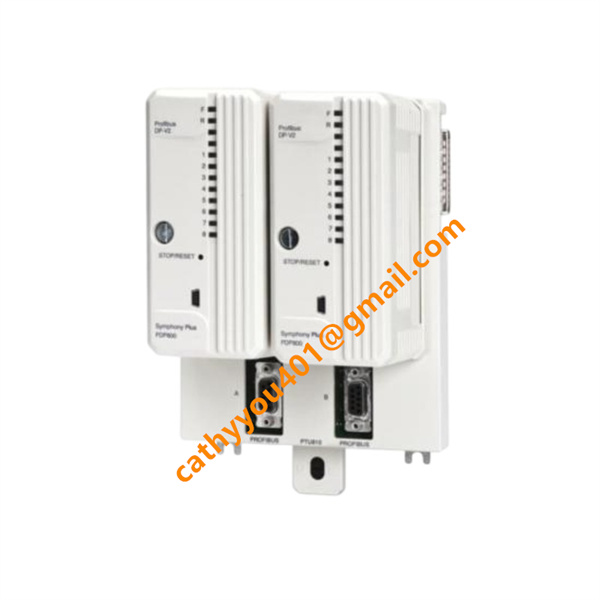
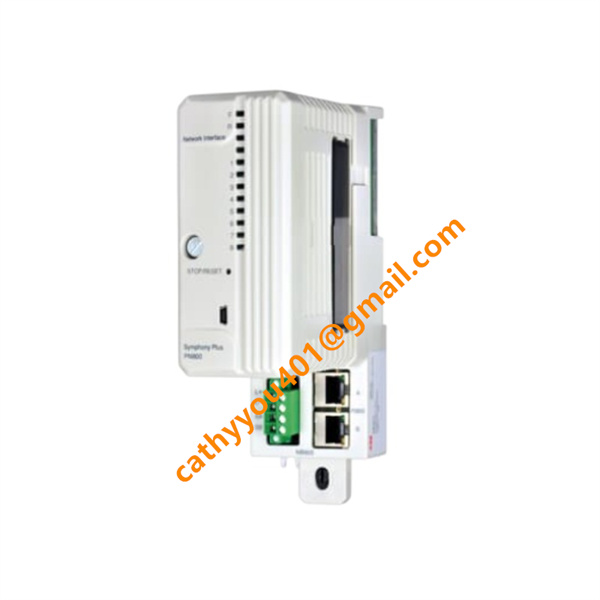







Description
-
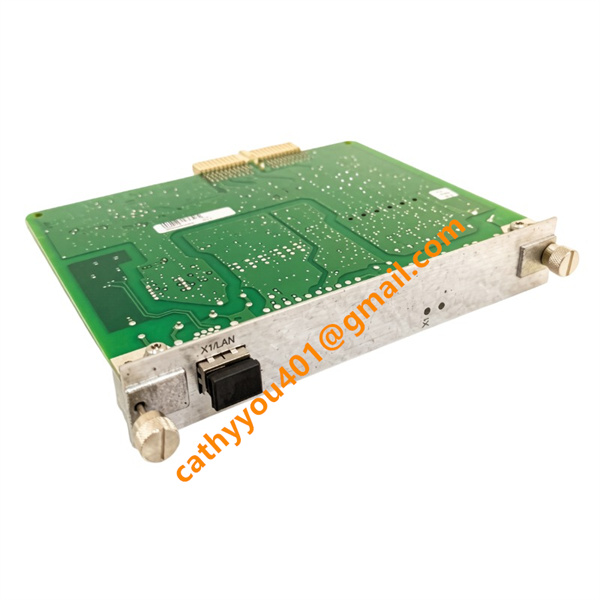
BrandABB
-
ModelPNI800
-
Product NamePN800 Plant Network Interface Module
-
Country of OriginSweden
-
HS Code85176200
-
Dimensions243.84 mm (H)×73.66 mm (W)×110 mm (D)
-
Weight0.45 kg
-
Operating Temperature-20 °C ~ +70 °C
-
Storage Temperature-40 °C ~ +85 °C
-
Power Supply24VDC
-
Warranty12 month
-
Product StatusNew and original
ABB PNI800 Product Introduction & Technical Specifications
Electrical Technical Parameters
Power Supply Specifications
Rated Input Voltage: 24 VDC nominal
Allowable Wide Voltage Range: 19.2 VDC ~ 28.8 VDC (±20% tolerance)
Typical Operating Current: 0.15 A @ 24 VDC
Maximum Power Consumption: ≤3.5 W
Built-in Protection: Reverse polarity protection, overvoltage, overcurrent and surge protection; isolated power circuit design
Communication Performance
PN800 Network Rate: 100 Mbps fast Ethernet
Redundancy Mode: Dual-attached node PRP protocol, automatic zero-time switchover between LAN A and LAN B
Supported Industrial Protocols: Modbus TCP, EtherNet/IP, PROFINET IO, OPC UA, ABB proprietary PN800 protocol
Service Port: Mini USB port for local firmware upgrade and offline troubleshooting

PNI800 ABB Standard Wiring & Installation Method
Pre-Wiring Safety Precautions
1. PNI800 contains electrostatic-sensitive PCB components; operators must wear anti-static wristbands during plug-in and wiring operations to prevent circuit burnout.
2. Cut off cabinet main 24VDC power supply before backplane wiring, confirm no residual voltage on all terminal points.
3. Classify cable routing strictly: power cables, Ethernet communication cables and USB service cables are routed separately to reduce electromagnetic crosstalk; Ethernet adopts shielded CAT5e/CAT6 twisted-pair cables.
Step-by-Step Wiring Procedures
1. Backplane Power Wiring
Connect 24VDC power supply to dedicated power terminals on SD cabinet backplane, strictly distinguish positive (+) and negative (-) polarities. Redundant dual power supply wiring is recommended for critical control cabinets to enhance power reliability.
2. Module Rack Installation
Align PNI800 edge connector with horizontal slot on cabinet backplane, push horizontally until fully engaged, tighten front-panel fixing screws to lock the module firmly in position.
3. Dual Redundant Ethernet Wiring
Connect Port 1 RJ45 cable to PN800A primary control network switch; connect Port 2 RJ45 cable to PN800B backup network switch
Follow T568B standard for crystal head crimping; install 120Ω terminal matching resistor at the end of long-distance bus trunk to stabilize signal transmission
4. Upper Computer Connection Wiring
Run one group of Ethernet cables from PN800 network switch to engineering PC, HMI touchscreen or SCADA server to realize remote monitoring and parameter modification functions.
5. Diagnostic Port Wiring
Insert mini USB data cable into front USB port, connect the other end to a laptop for offline firmware flashing, fault log downloading and local function debugging.
Post-Wiring Commissioning Steps
1. Complete full circuit inspection to eliminate short circuit, open circuit and reversed polarity faults; verify module installation tightness.
2. Restore cabinet power supply, observe front LED lights to confirm normal power-on and no hardware fault alarms.
3. Activate PNI800 via PNI800SWLIC-01 software license on the engineering workstation, configure IP addresses for dual Ethernet ports and PRP redundancy parameters.
4. Conduct network failover test: manually disconnect primary network cable to verify automatic zero-time switchover to backup network without data loss.
5. Establish communication connection between workstation and SD controllers, test online parameter modification, real-time data reading and remote trip function; restore the system to normal automatic operation mode after all tests pass.

PNI800 ABB Core Product Advantages
1. Zero-Downtime Network Redundancy: Adopts IEC 62439 PRP dual-network redundancy, automatic fault switching without data interruption, ideal for safety-critical continuous production processes .
2. Hot-Swap Maintainability: Supports live module replacement under powered cabinet status, greatly shortening equipment maintenance downtime and production loss.
3. Multi-Protocol Open Compatibility: Natively integrates mainstream industrial Ethernet protocols, seamlessly connects third-party HMI, SCADA and intelligent field devices without additional protocol converters.
4. Integrated Diagnostic Function: Front LED indicators display power status, link status, network fault and module operation status; mini USB port supports real-time fault log export and firmware update.
5. High Data Real-Time Performance: Optimized real-time communication stack ensures millisecond-level data interaction between controllers and upper computers, meeting strict closed-loop control timing requirements.
6. Cybersecurity Compliance: Meets IEC 62443 industrial network security standards, supports access authority management and encrypted data transmission to defend against network intrusion risks.
7. Perfect System Matching: Fully compatible with all Symphony Plus SD series controllers and I/O modules, retains compatibility with legacy INFI 90 and Harmony control systems for easy system upgrade and transformation.