






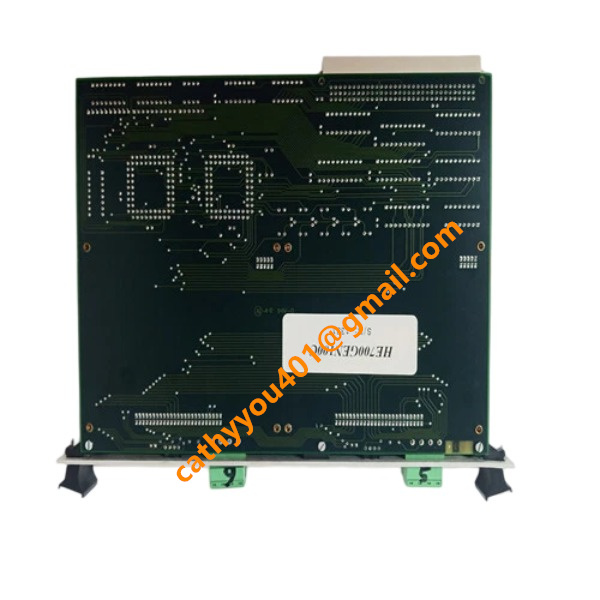
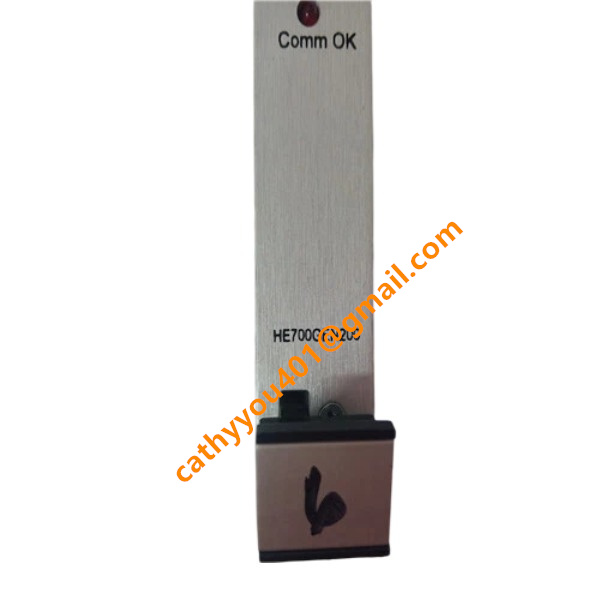







Description
-
BrandGE
-
ModelHE700GEN200
-
Product NameDual‑Channel uGENI Genius VME Interface Module
-
Dimensions261 mm × 186 mm × 20 mm
-
Weight0.34 kg
-
Place of OriginUnited States
-
HS Code8537101190
-
Operating Temperature0 ℃ ~ +60 ℃
-
Storage Temperature‑40 ℃ ~ +85 ℃
-
Power Supply220 mA
-
Warranty12 month
-
Statusnew and original
Installation Steps for GE HE700GEN200 Genius Bus Interface Module
Safety Preparation. Power off the Series 90-70 PLC rack and disconnect the entire rack power source. Put on an anti-static wrist strap to protect circuit boards from electrostatic discharge damage. Never install or extract the module while power remains active.
Module Inspection. Examine the HE700GEN200 for any physical defects. Confirm the part number and hardware revision comply with project specifications.
Rack Slot Selection. Pick a vacant VME slot within the GE Fanuc Series 90-70 rack. Maintain adequate clearance for thermal dissipation and, where practical, stay away from slots adjacent to high-power modules.
Insert Module into VME Rack. Line up the module edge connector with the guiding grooves on the VME backplane. Slide the unit smoothly inward until the connector is fully mated with the backplane. Secure the front-panel mounting screws.
Genius Bus Wiring. Run shielded twisted-pair wires to the front-panel terminal block for Channel 1 and Channel 2 on the HE700GEN200. Adhere to official Genius bus wiring specifications; fit termination resistors at both endpoints of every bus segment. Implement proper shielding-grounding practices.
Power Restoration. Perform a full check of module seating and field wiring before energizing the PLC rack.
Hardware Configuration. Open GE programming software, add the HE700GEN200 to its assigned rack slot. Set relevant bus parameters and configure unique station addresses for each Genius remote I/O slave device.
Communication Test. Download the completed hardware configuration to the PLC. Inspect module status LED indicators. Validate stable communication between the interface module and all Genius remote I/O stations. Resolve any reported bus faults when communication abnormalities occur.
Function Verification. Execute PLC program logic to read input status and issue output instructions. Ensure reliable bidirectional data exchange between the CPU and distributed Genius I/O hardware.
Final Check. Fasten and organize cabinet-internal cabling. Back up configuration files and archive installation documentation for subsequent maintenance activities.

GE HE700GEN200 Input & Output, Voltage and Current Detailed Specifications
Backplane Power Input (Module Internal Power Supply)
Input Voltage: +5 VDC (power fed through the VME system backplane)
Operating Current: 200 mA typical value
Power Consumption: 1 W typical value
Genius Bus Communication Interface (Front-panel Terminals)
This interface establishes field-side connections to remote Genius I/O devices instead of supporting local process I/O signals.
Bus signal level: Differential RS-485
Communication power: Power for the bus comes from external Genius remote I/O racks; the HE700GEN200 cannot supply bus power independently
Number of channels: 2 isolated Genius bus channels (Channel 1, Channel 2)
Maximum nodes per bus: Supports up to 31 Genius remote I/O slave stations on each channel
Transmission rate: Fixed baud rate at 153.6 kbps for Genius bus
Galvanic isolation: Galvanic separation exists between VME logic circuitry and the Genius field bus

I/O Data Characteristics (Logical Input / Logical Output Transmitted Over Genius Bus)
Physical input and output signals are processed by external Genius I/O hardware such as the IC660 series. The HE700GEN200 transmits this logical data to the Series 90-70 PLC CPU via the VME backplane:
Logical Input Data: Acquires digital and analog input measurements gathered by remote Genius input modules
Logical Output Data: Delivers output instructions issued by the PLC CPU to field-side Genius output modules
Typical Signal Specifications for External Genius Remote I/O Blocks
Digital Input (Genius Remote Station)
DC digital input: 24 VDC, 4-10 mA input current for each channel
Digital Output (Genius Remote Station)
Sink/source-type 24 VDC transistor output, maximum 0.5 A per point
Relay dry-contact output, maximum 2 A for each contact
Analog Input (Genius Remote Station)
4-20 mA current signal; 0-10 VDC voltage signal
Analog Output (Genius Remote Station)
4-20 mA current signal; 0-10 VDC voltage signal

DS200TDAH1BHD
DS200TCRAG1ACC
DS200DTRAG1AAA
DS200DTBBG1ABB
DS200SDCCG4AFD
DS200TCDAG1BDB
IS220PTURH1B
C60G01HCHF8FH6PM8FP6PU6PWXX
DS200TCQCG1BHF


.jpg)

.jpg)
.jpg)







