





.jpg)
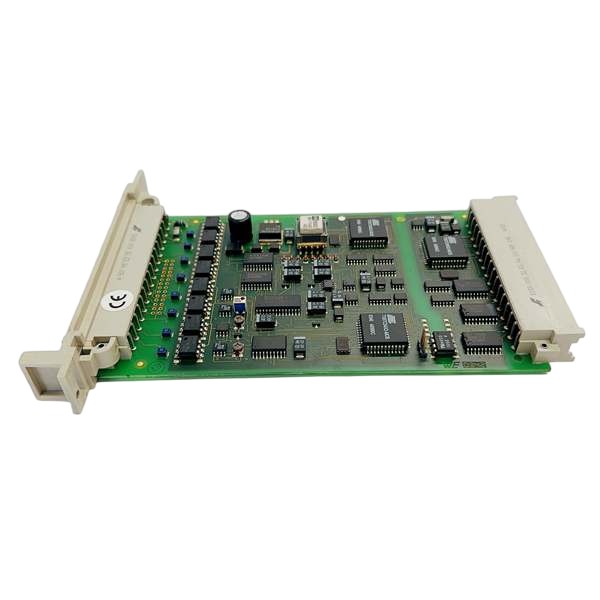







Description
-
BrandHIMA
-
ModelF8627
-
Product NameCommunication Module
-
Place of OriginGermany
-
Customs HS Code85423190
-
Power Supply0.22A
-
Dimensions235 mm × 125 mm × 30 mm
-
Weight0.40kg
-
Operating Temperature-20℃ to +60℃
-
Storage Temperature-40℃ to +85℃
-
Warranty12 month
-
Product Statusnew and original
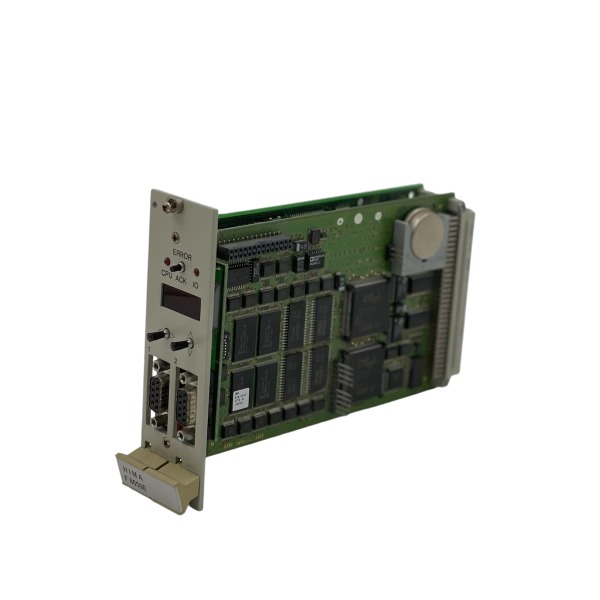
HIMA F8627
Note: The F8627 is an Ethernet communication module designed for the H41q / H51q HIQuad SIS system. It does not provide physical field digital or analog I/O channels, and exchanges data with the CPU over the rack backplane bus.
Power Supply Voltage & Current
Supply Voltage: 5 VDC, powered by rack backplane bus
Maximum Operating Current: 1 A
Typical Power Consumption: 5 W
Input & Output
No field-wirable I/O terminals (DI/DO/AI/AO signals are not supported on this module)
Internal backplane bus: Data interaction with the F8650E CPU module
Front-panel physical interfaces:
2 × RJ45 Ethernet (10/100 Base-TX)
1 × RJ-12 HSR redundancy interface
1 × D-Sub 9-pin serial port
Communication Protocols
Ethernet: TCP/IP, Modbus-TCP, HIMA proprietary HSR safety redundancy protocol
D-Sub 9-pin Serial Port: Modbus-RTU (RS-232-C / RS-485)
Internal Backplane Bus: HIMA exclusive HIQuad rack bus
Configuration Tool: ELOP-II engineering software
Safety Specification
TÜV-certified SIL 3 according to IEC 61508 / IEC 61511
Supports redundant communication architecture
Hot-swappable for rack slot installation

How to Configure HIMA F8627
Preparation
Engineering software: ELOP-II (applied for H41q / H51q HIQuad SIS system)
Hardware installation: Insert the F8627 into its assigned rack slot and ensure reliable backplane contact
Network preparation: Confirm IP address, subnet mask and gateway for Ethernet interfaces
Connection: Link the engineering PC to the F8650E CPU through serial cable or Ethernet to support online downloading
Step 1 Add the module to hardware configuration
1. Open the target ELOP-II project.
2. Navigate to Hardware Management and expand the hardware tree of the F8650E CPU rack.
3. Right-click the vacant slot and add the F8627 communication module.
4. Save the updated hardware configuration.
Step 2 Configure network parameters of F8627
1. Open the property page of the F8627 module.
2. Assign IP address, subnet mask and gateway for both RJ45 Ethernet channels.
3. Enable or disable the HSR redundancy function based on actual system topology.
4. Configure the D-Sub 9-pin serial port: select hardware mode (RS-232-C or RS-485), and set baud rate, parity bit and stop bit.
Step 3 Set up communication protocols
Modbus-TCP over Ethernet
1. Create a Modbus-TCP master or slave channel in the bus editor.
2. Input the remote device IP address and port (default port: 502).
3. Map internal safety tags to Modbus holding registers or input registers.
Modbus-RTU via D-Sub 9-pin serial port
1. Match serial communication parameters with connected third-party slave devices.
2. Select Modbus-RTU master or slave mode and define station address.
3. Finish register mapping to realize data interchange.
Step 4 Compile and download the project
1. Generate project code and resolve all configuration errors.
2. Establish online connection with the F8650E CPU.
3. Download the complete project including hardware settings and communication parameters to the controller.
> Note: Parameters for F8627 are downloaded along with the CPU program; independent download for this communication module is not required.
Step 5 Online commissioning and diagnosis
1. Check LED indicators on the module front panel after power-on.
2. Access the online diagnosis screen in ELOP-II and confirm no hardware faults for F8627.
3. Inspect link status of Ethernet and serial interfaces.
4. Validate data read-and-write with external Modbus devices.
5. Review system event logs for communication failure alerts.
Step 6 Redundant configuration (for redundant system only)
1. Mount a second F8627 in the corresponding redundant rack slot.
2. Configure identical network and communication parameters for both modules.
3. Activate the HSR redundancy feature.
4. Download the full project and test bumpless communication switch-over.



.jpg)
.jpg)







