.jpg)
.jpg)
.jpg)
.jpg)







Description
-
BrandJetter
-
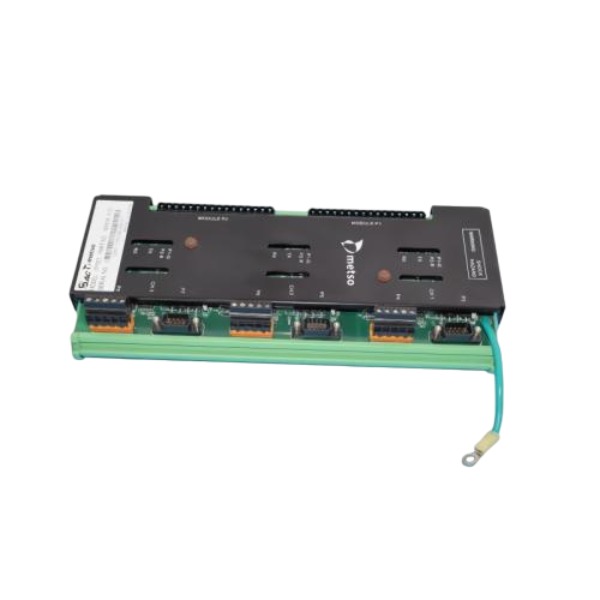
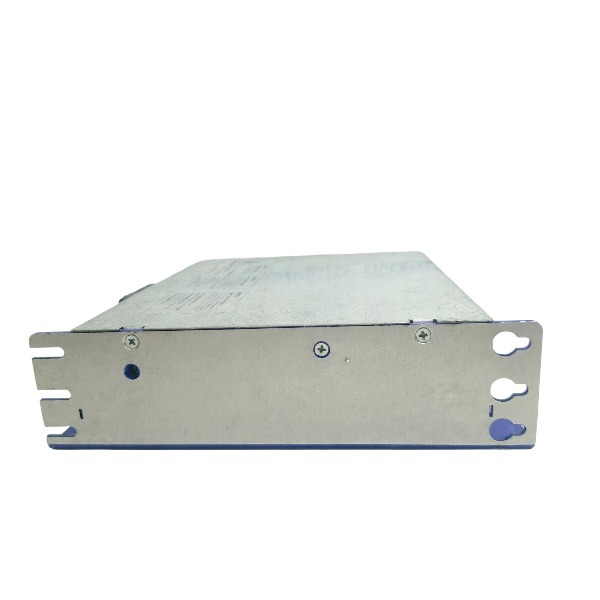
ModelJM-206B-230
-
Product NameServo Amplifier
-
Place of OriginGermany
-
Customs HS Code85044099
-
Power Supply12 A
-
Dimensions180mm × 130mm × 55mm
-
Weight1.9 kg
-
Operating Temperature0°C ~ +50°C
-
Storage Temperature-25°C ~ +70°C
-
Warranty12 month
-
Product Statusnew
Operation Procedure for Jetter JM-206B-230
Inspect the JM-206B-230 unit and all wiring prior to power-up to ensure there is no physical damage, loose terminal connections or short circuits.
Confirm that the incoming supply voltage complies with the rated 230V specification of the servo drive.
Energize the power supply, wait for the system to complete the boot sequence and monitor the status LED indicators.
Connect the Ethernet communication cable or programming terminal to the Jetter drive.
Start the Jetter programming software and establish a stable communication connection with the JM-206B-230.
Upload the existing program to the PC and save a backup file if required.
Adjust parameters or motion logic programs as necessary, and double-check all I/O configuration settings.
Download the verified program and parameter set to the JM-206B-230.
Activate manual mode and carry out point-by-point testing of all digital and analog inputs and outputs.
Check for active alarm codes on the drive; clear fault alarms once the underlying issues are resolved.
Switch to automatic operation mode, execute the complete working sequence and continuously monitor operational status.
Log operating data and fault details throughout the commissioning phase.
When the operation is finished, halt the automatic cycle first before disconnecting the power supply.
Unplug communication cables, tidy up the working area and complete the operation record.

The JM-206B-230 is a digital servo amplifier. It supports two operating modes: parameter configuration through JetMove Configurator, and motion logic programming using JetSym STX with a JetControl PLC.
Required Tools
Software: JetMove Configurator for drive parameter setup and firmware update; JetSym featuring STX language for PLC and motion programming.
Connection: Ethernet cable (default), CAN bus or RS232.
PC with static IP address within the same subnet as JM-206B-230.
Fully wired and inspected HIPERFACE motor feedback cable, power cable and enable circuit.
Step 1: Hardware Pre-check & Wiring Confirmation
Verify correct wiring of 230V AC main power, 24V control power, motor, encoder, enable signal and limit switches.
Inspect for short circuits, proper earthing and brake wiring.
Configure DIP switches on JM-206B-230 for communication address and IP mode.
Establish Ethernet connection between the PC and JM-206B-230 either directly or via a network switch.
Step 2: Establish Communication
Configure a static IP address on the PC to match the subnet of the servo drive.
Launch JetMove Configurator, scan the bus and locate the JM-206B-230.
Go online with the drive, upload the existing parameter set to the PC and store it as a backup file.
Check the current firmware version and perform an upgrade if necessary.

Step 3: Basic Servo Parameter Configuration (JetMove Configurator)
Motor setup: select the matching Jetter motor model and configure pole pairs, rated current and rated speed.
Encoder configuration: define HIPERFACE feedback type, rotation direction and resolution.
Control mode selection: Position mode, Velocity mode or Torque mode.
Loop tuning: adjust position loop gain, speed loop gain, filters and jerk limit.
I/O mapping: allocate signals for drive enable, fault reset, positive/negative limit, home trigger and brake output.
Set soft travel limits, homing mode, homing speed and home offset value.
Save all configured parameters into the drive’s non-volatile memory.
Step 4: Motion Programming in JetSym STX (JetControl Master)
The JM-206B-230 functions solely as a servo drive. Motion sequence logic is executed on the Jetter JetControl PLC, programmed in JetSym STX over CANopen or Jetbus.
Open JetSym and create a new STX project.
In the hardware manager, add the JetControl CPU and insert JetMove 206B-230 as a bus axis.
Assign the node address for the axis and import the parameter file exported from JetMove Configurator.
Develop STX motion tasks. Typical motion commands are shown below:
AxisHome(Axis1); // Homing
AxisPos(Axis1, 10000, 500); // Absolute positioning
AxisRel(Axis1, 5000, 300); // Relative movement
AxisVel(Axis1, 200); // Velocity mode
Implement interlock logic including enable conditions, limit detection, fault management and reset routines.
Compile the project and resolve syntax or hardware mapping errors.

Step 5: Download & Online Debug
Set the JetControl PLC to STOP status.
Download the compiled STX application to JetControl.
Switch the PLC to RUN mode, then monitor axis status, register values and I/O signals online.
Perform homing test first, followed by single-position motion tests under manual mode.
Monitor following error, overshoot and mechanical vibration; return to JetMove Configurator to re-tune control gains if needed.
Carry out a complete automatic cycle test.
Step 6: Fault Handling & Final Backup
Retrieve alarm codes from the drive via JetMove Configurator when a fault occurs.
Reset the alarm only after the root cause has been rectified.
Make the final backup including servo parameter files and the complete JetSym STX project.
Archive relevant information: axis name, node ID, firmware version and matched motor model.

FAQ: Jetter JM-206B-230 Servo Drive
Q: What is Jetter JM-206B-230?
A: Jetter JM-206B-230 is a JM series servo drive, designed for precision motion control of AC servo motors in automated machinery.
Q: What is the rated power and voltage of Jetter JM-206B-230?
A: It is rated for 230 VAC single-phase input, suitable for low to medium power servo motor control applications.
Q: What communication interfaces does Jetter JM-206B-230 have?
A: It supports Jetter JetWeb, Ethernet and serial interfaces; compatible with Jetter PLC systems and mainstream motion control protocols.
Q: What software is used to configure Jetter JM-206B-230?
A: Jetter JetSym software is used for parameter setup, motion programming, commissioning, diagnosis and firmware update.
Q: What are the main functions of Jetter JM-206B-230?
A: It supports position control, speed control, torque control, electronic gearing, cam profiling and built-in safety monitoring functions.
Q: What are the typical applications of Jetter JM-206B-230?
A: Widely used in packaging machines, printing equipment, textile machinery, handling robots and general automation production lines.
Q: What servo motors can match Jetter JM-206B-230?
A: It works with Jetter matched servo motors. Verify motor encoder type, rated current and feedback signal before pairing.
Q: What is the operating temperature range of Jetter JM-206B-230?
A: Operating temperature: 0°C to 45°C, suitable for installation inside standard industrial control cabinets with proper ventilation.


.jpg)

.jpg)
.jpg)