.jpg)
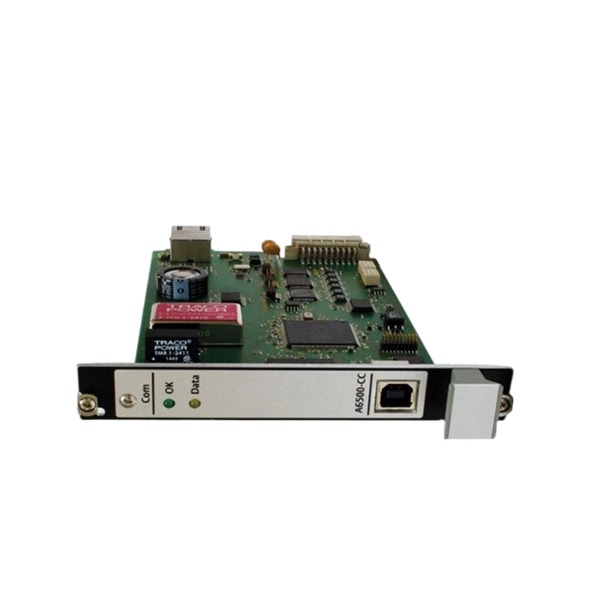







Description
-
BrandEmerson
-
ModelA6500-CC
-
Product NameSystem Communication Card
-
Place of OriginUnited States
-
Customs HS Code8538900000
-
Power Supply4.0 W
-
Dimensions100 mm (width) × 160 mm (height) × 20 mm (depth)
-
Weight0.20 kg
-
Operating Temperature-20°C to +70°C
-
Storage Temperature-40°C to +85°C
-
Warranty12 month
-
Product Statusoriginal
A6500-CC Emerson Communication Card
Module Type: Rack communication and management card designed for the A6500 machinery protection system
Ethernet Interface: 1 × 10/100 Mbps RJ45 port, compatible with Modbus TCP/IP for high-speed data communication with host monitoring systems
USB Interface: 1 × USB 2.0 port, dedicated to on-site local configuration, parameter downloading and troubleshooting using AMS Machine Studio software
Internal Rack Bus: RS485 backplane bus, responsible for real-time data interaction between the communication card and A6500-UM measurement modules inside the rack
Serial Interface: External RS485 terminal block supporting Modbus RTU, used for wired serial connection with remote controllers and host devices
Function: Offers both network and local configuration access to the whole rack; schedules and processes internal bus data; forwards measured values, alarm status and diagnostic information to upper monitoring platforms; provides time synchronization services for all modules within the A6500 rack

A6500-CC Emerson Communication Card Common Faults and Diagnostic Procedure
Fault 1: Card power loss with no LED activation
Diagnosis: Measure the rack supply voltage and inspect rack fuses; confirm the card is fully inserted into the slot and front panel fasteners are secured; test with a spare card for confirmation.
Fault 2: Loss of internal RS485 rack bus communication, failure to discover A6500-UM modules
Diagnosis: Confirm normal power supply to all rack modules; check the bus for short circuits and incorrect terminal wiring; validate the setting of bus termination resistors; check for address conflicts among modules; access bus error counters within AMS Machine Studio.
Fault 3: Ethernet link dropout or unstable Modbus TCP communication
Diagnosis: Examine the RJ45 cable, connectors and switch port status; observe the Ethernet link LED status; verify IP settings and subnet matching; perform ping tests to assess network stability; check for IP conflicts or broadcast storms on the network.
Fault 4: External RS485 Modbus RTU communication breakdown
Diagnosis: Verify A/B wire polarity and termination resistor configuration; measure bus voltage using a multimeter; ensure baud rate, parity and slave address match the host configuration; isolate the bus to eliminate interference caused by long cable runs or adjacent high-power wiring.
Fault 5: Failed USB connection between the card and AMS Machine Studio
Diagnosis: Swap the USB cable and try alternative laptop USB ports; confirm that the required drivers for AMS Machine Studio are properly installed; reboot the rack and configuration software; check whether the card has entered configuration lock mode after parameter download.
Fault 6: Abnormal time synchronization
Diagnosis: Confirm network reachability and routing to the NTP server; review time zone parameters in the card configuration; observe timestamp deviation in historical trend data.
Fault 7: Failed onboard self-test and illuminated fault LED
Diagnosis: Retrieve self-test alarm codes from AMS Machine Studio; perform a rack power cycle to rerun self-test; verify firmware integrity; reflash firmware if corruption is suspected; replace the card if a hardware defect is confirmed.
General diagnostic methods: Retrieve event logs and diagnostic information through AMS Machine Studio; isolate each communication interface sequentially to pinpoint faulty paths; record fault codes, LED states and test data for maintenance and part replacement.

SE4035S2B1 KJ3221X1-BK1
CE4022
VE3008
1C31194G03
AMS-2140
FloBoss S600+
5X00875G01
SE5109
SE3051C0
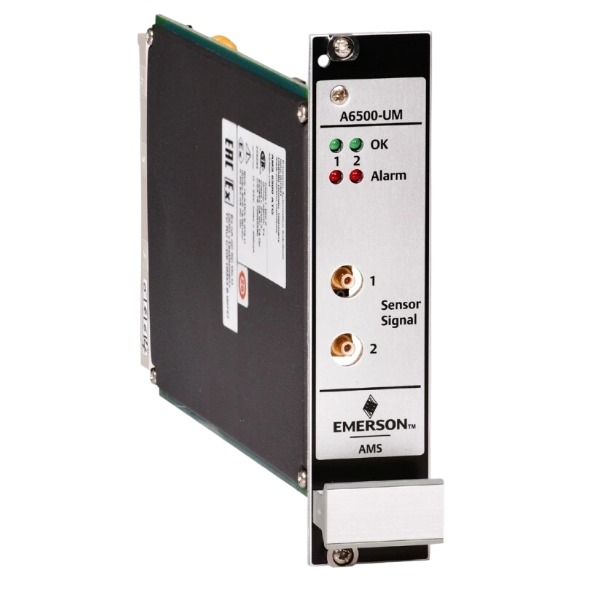
A6500-UM



.jpg)