5B7532609B1E4EA7AE37EAE754DEBB32.jpg)
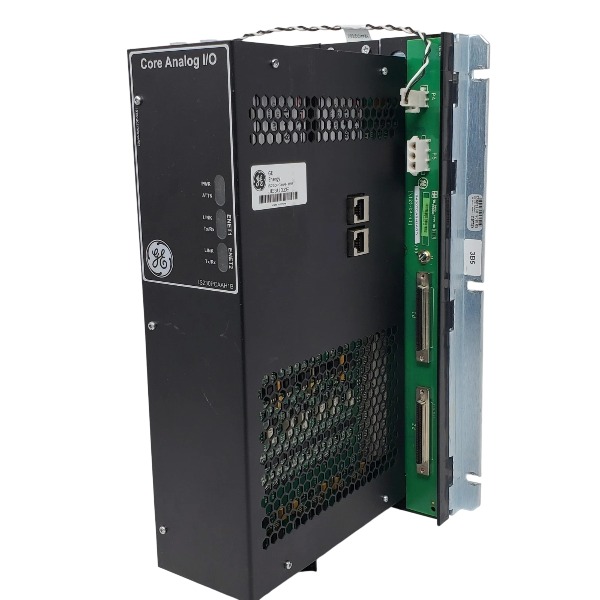







Description
-
BrandGE
-
ModelIS230PCAAH1B
-
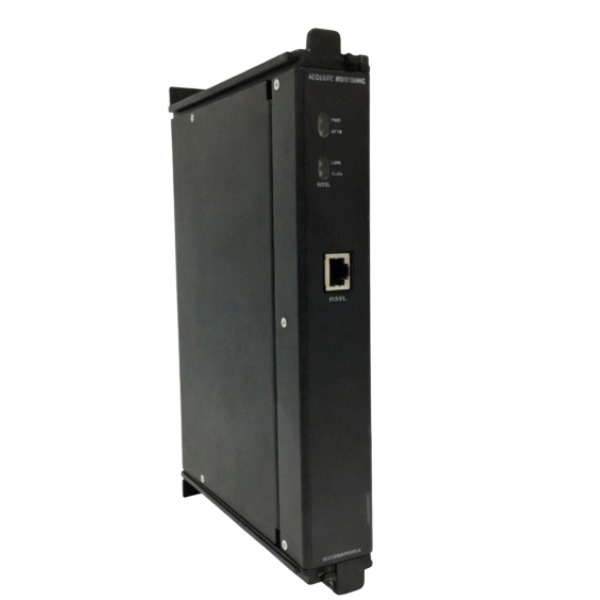
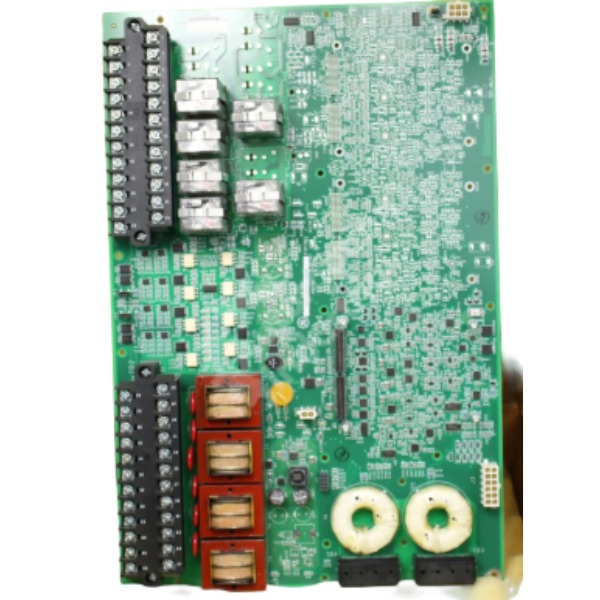
Product NameCore Analog I/O Module
-
Place of OriginUnited States
-
Customs HS Code85371011
-
Power Supply28 V DC ±5%
-
Dimensions330.2mm × 178mm × 265mm
-
Weight4.0 kg
-
Operating Temperature-30°C ~ +65°C
-
Storage Temperature-60°C ~ +95°C
-
Warranty12 month
-
Product Statusnew
Installation Procedure for GE IS230PCAAH1B
The IS230PCAAH1B is the PCAA core analog I/O module for the Mark VIe turbine control system and supports hot-swap operation.
1. Pre-installation Preparation & Safety
Put on an ESD anti-static wrist strap before handling the module to prevent electrostatic damage.
Carry out lockout-tagout for cabinet power during initial installation; hot-swap is permitted only for maintenance of redundant racks.
Conduct visual inspection: Check the PCB for burn marks, cracks, bent pins or damaged connectors, and confirm the part revision meets project requirements.
Validate software compatibility to ensure the ToolboxST/ControlST version supports this hardware revision.
Prepare the matched TCAT terminal board, two 68-pin ribbon cables, IONet Ethernet cables and a 24–28VDC power supply.
Inspect the cabinet environment to guarantee sufficient ventilation, and route analog signal cables separately from high-voltage power cables.
2. Rack Mounting
Insert the IS230PCAAH1B into the assigned slot within the Mark VIe rack.
Push the module fully home to engage the backplane connector, then tighten the front panel mounting screws to the specified torque after finger tightening.
Leave adequate airflow clearance around the module for heat dissipation.
3. Wiring & Cable Connection
P4 connector: Connect to the JGPA board for auxiliary field power supply.
P1 and P2 ports: Run two 68-pin ribbon cables between the PCAA module and TCAT terminal board, and fasten the cable locking screws.
P5 connector: Connect the 24–28VDC power supply for the module.
Dual Ethernet ports (ENET1, ENET2): Wire IONet network cables to the Mark VIe controller for redundant communication.
Complete field wiring on the TCAT terminal board, including thermocouple, 4–20mA, LVDT, seismic and servo output signals.
Terminate cable shields at specified grounding points; multi-point grounding must be avoided to eliminate ground loops.
Do not over-tighten terminal screws to prevent PCB cracking.
4. Power-on and Hardware Verification
After full connection and double-check of all cables, energize the rack power supply.
Observe front-panel LEDs to confirm the power and communication indicators operate normally.
Open ToolboxST and go online to verify the controller detects the IS230PCAAH1B; check module health status and confirm no hardware faults exist.
5. Software Configuration & Channel Test
Open the target Mark VIe project, add IS230PCAAH1B to the hardware tree and select the correct hardware revision.
Configure each analog channel: signal type, scaling, filter parameters and high/low range alarm thresholds.
Compile and download the project configuration to the controller.
Carry out point-to-point loop testing for all I/O channels: inject simulated signals and validate readings within ToolboxST.
Inspect servo outputs, excitation and pulse channels, and verify all alarms work as designed.
Create a project backup once all tests are passed.
6. Commissioning and Online Operation
Once loop testing is complete, verify TMR voting status if deployed in a triple redundant configuration.
Gradually place the module into turbine control service and monitor real-time measured values.
Document all commissioning data for project records.

Software Compatibility Confirmation Steps for GE IS230PCAAH1B
Confirm ControlST / ToolboxST Base Version
The IS230PCAAH1B requires ControlST V04.04.xx or newer. Launch ToolboxST and navigate to Help → About to check the software suite version. If the installed version is older than V04.04, upgrade the entire ControlST suite prior to deploying this module.
Verify Hardware Revision Matching
Check the hardware revision printed on the label of the IS230PCAAH1B module. Open the project hardware library within ToolboxST and confirm the library includes the exact part number and matching revision of IS230PCAAH1B. A revision mismatch may lead to module detection failure or configuration compilation errors.
Check Mark VIe Controller Firmware Compatibility
Open the existing Mark VIe project and review the controller firmware version. Confirm that the firmware release supports the IS230PCAAH1B. If the firmware is obsolete, complete the controller firmware upgrade following GE’s official procedure before downloading the PCAA configuration. All controllers within a TMR or duplex rack must run identical firmware versions.
Verify Terminal Board and Project Library Compatibility
Confirm the matched TCAT/TCAS terminal board (the paired terminal hardware for IS230PCAAH1B) exists in the ToolboxST hardware library. Validate that ribbon cable definitions, channel mapping and supported signal types are fully compatible with the current project library.
Offline Project Compile Test
Add IS230PCAAH1B to the project hardware tree, select the correct revision, and configure I/O channels and redundancy mode (simplex / duplex / TMR). Run project compilation. A successful compile without hardware definition errors confirms the software library supports this module. If the compiler returns a "hardware not found" warning, the ToolboxST hardware library is outdated and requires an update.
Offline Simulation Verification
Enable offline simulation in ToolboxST and switch to online simulation mode. Confirm the module can be identified, and all channel parameters and diagnostic items are accessible. This step validates the software driver and channel configuration logic.
Cross-check GE Official Documentation
Consult the GE Mark VIe hardware compatibility list and manual GEH-6721L. Verify that IS230PCAAH1B is listed as supported hardware for the active ControlST release.
Final Online Verification After Hardware Installation
Once physical installation is finished, connect the IONet network and go online using ToolboxST. Inspect the module health status. If the controller reports "unrecognized hardware", incompatibility exists in the firmware or software version.

DS200TDAH1BHD
DS200TCRAG1ACC
DS200DTRAG1AAA
DS200DTBBG1ABB
DS200SDCCG4AFD
DS200TCDAG1BDB
IS220PTURH1B
C60G01HCHF8FH6PM8FP6PU6PWXX
DS200TCQCG1BHF