






Description
-
BrandAllen‑Bradley
-
Model1769-L33ER
-
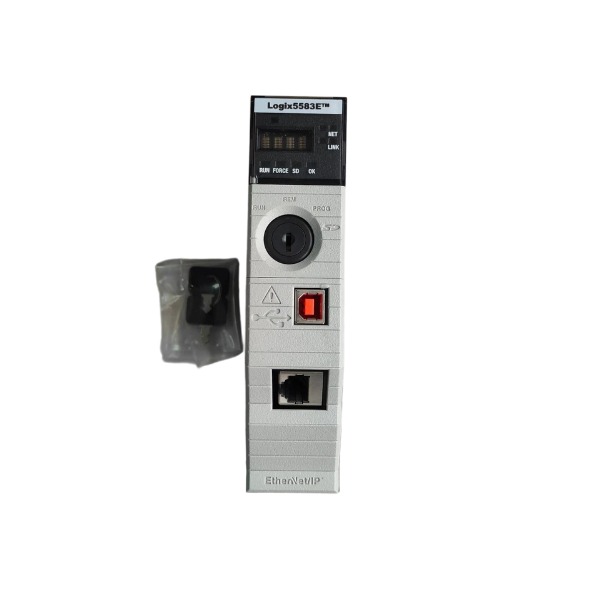
Product NameCompactLogix 5370 L3 Programmable Automation Controller
-
Dimensions115 mm × 105 mm × 118 mm
-
Weight0.63 kg
-
Place of OriginMultiple (Singapore / USA)
-
HS Code8537109160
-
Operating Temperature0 °C to +60 °C
-
Storage Temperature‑40 °C to +85 °C
-
Power Supply500 mA at 24 VDC
-
Warranty12 month
-
Statusnew
Technical Specifications for Allen-Bradley 1769-L33ER
Product Family: CompactLogix 5370 L3 Controller
Memory Configuration
User application program memory: 2 MB
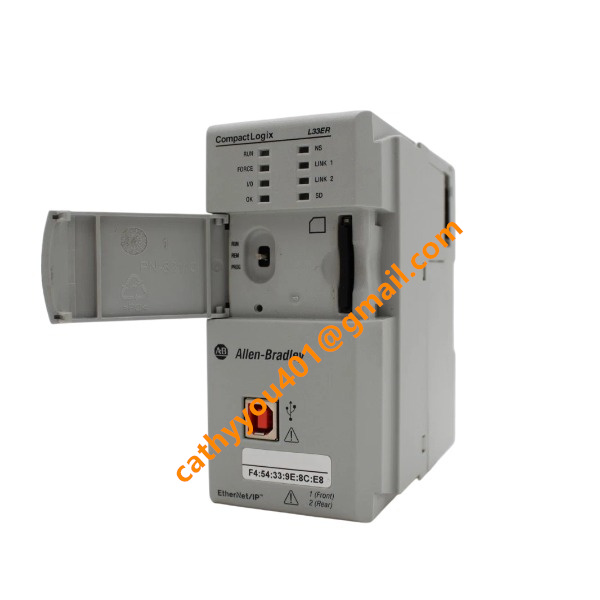
Factory-fitted 1 GB SD card; maximum SD card capacity supported is 2 GB, used for program backup, firmware storage and data logging
Real-time clock backed by supercapacitor, maintaining time information during short-duration power outages
I/O Expansion Capacity
Maximum quantity of local 1769 Compact I/O modules: 16 pieces
1769-ECR end-cap terminator is mandatory for local backplane termination
Compatible with distributed EtherNet/IP remote I/O system
Maximum supported EtherNet/IP node quantity: 32 nodes
Motion Control Performance
CIP Motion supported, controlling up to 8 motion axes
Embedded kinematics function applicable to robot and multi-axis coordinated motion scenarios
Communication Interfaces
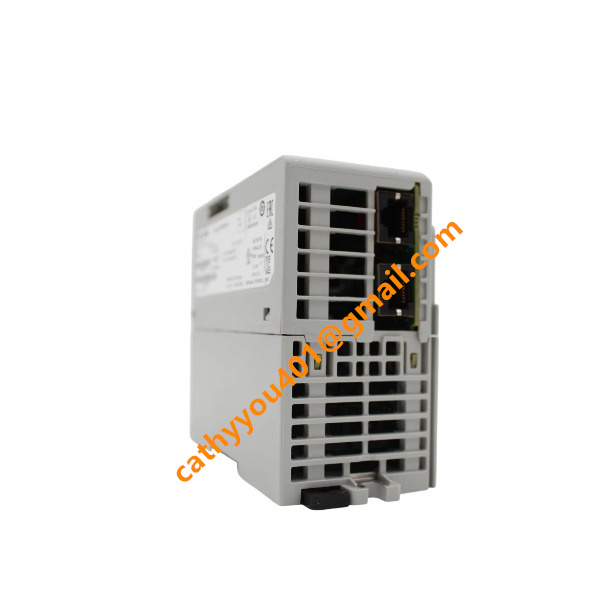
Two independent EtherNet/IP ports with DLR (Device-Level Ring) function, supporting linear and ring network topologies
USB 2.0 programming port for direct PC connection with basic insulation protection
Galvanic isolation between two Ethernet ports; USB adopts basic insulation; dielectric withstand: 500 V AC for 60 seconds
Supported communication protocols: EtherNet/IP, CIP, Modbus-TCP, HTTP, FTP
No integrated serial port; serial communication needs to be implemented through external communication adapter
Electrical Parameters
Nominal operating supply voltage: 24 V DC, operating range: 18-30 V DC
Typical full-load power consumption: 4.5 W
Reverse-polarity protection available on power terminals
Detachable screw-type power terminal block
Controller Runtime Features
Programming tool: Rockwell Automation Logix Designer
Task types: continuous tasks, periodic scheduled tasks, event-triggered tasks
Onboard LED status indicators: Power, Run, Fault, Force, SD-card, Link 1, Link 2
Supports tag-oriented programming, structured data types and Add-On Instructions (AOI)
Built-in fault record and diagnostic buffer for fault troubleshooting
Producer-consumer communication model supported

Installation Steps for Allen-Bradley 1769-L33ER CompactLogix 5370 Controller
Prerequisite: Disconnect all system power prior to hardware installation. Wear an anti-static wrist strap to prevent electrostatic discharge (ESD) damage to internal circuit components.
SD Memory Card Installation
Open the SD-card protective cover on the front panel. Insert a compatible SD card with the contact side facing down into the slot, then close the protective cover once fully seated. Omit this procedure if no SD card will be used.
DIN-Rail Preparation
Deploy a standard 35 mm EN 50022 DIN-rail within the control cabinet. Verify the DIN-rail is securely fastened and properly grounded. Leave adequate ventilation clearance above and below the module for heat dissipation.
Mount the Controller on DIN-Rail
Pull down the DIN-rail locking latches located on the module rear. Hook the top edge onto the DIN-rail first, then push the bottom inward until the latches click into locked position. Give the module a gentle shake to confirm solid mounting.
Assemble Neighboring Power Supply and 1769 I/O Modules
Set the top and bottom bus locking levers of each module to the fully-right unlocked position. Align the tongue-and-groove mating structure between the 1769-L33ER and adjacent modules. Push modules tightly together until internal backplane bus connectors mate completely. Slide both upper and lower bus levers fully to the left until they click, securing the backplane interconnection.
Fit the End-Cap Terminator
Install the 1769-ECR end-cap terminator onto the right-most module of the entire 1769 stack. Move its bus lever to the locked position to finish backplane termination.
System Grounding
Attach the protective-earth conductor to the PE grounding screw on the 1769-L33ER. Apply appropriately sized grounding wire and torque the grounding screw per official specifications. Ensure reliable equipotential bonding among the controller, DIN-rail and cabinet protective earth.
Wiring the Removable Power Terminal Block
Extract the detachable terminal block from the controller. Wire the 24 V DC control power positive and negative terminals strictly in accordance with electrical schematics. Tighten terminal screws to the recommended torque value, then fully re-insert the terminal block back into the controller socket.
Communication Cable Connection
Connect a USB programming cable between the controller USB port and engineering PC. Insert Ethernet cables into the dual EtherNet/IP ports for plant network or DLR ring-topology deployment. Document port assignments to facilitate subsequent commissioning work.
Power-On Inspection
Perform comprehensive double-checks for all wiring, backplane locking status, grounding and termination. Apply 24 V DC control power supply. Monitor front-panel LED indicators; steady-green power LED signifies normal power-on condition.
Initial Commissioning Preparation
Establish communication through Logix Designer software. Download controller firmware and project configuration, then validate module recognition and I/O operating status.

6181P-17A3MWX1DC
1797-PS2N2
1756-PA50
1756-L81E
XM-161 1440-VDRS06-06RH
1440-DYN02-01RJ
SST-PFB3-CLX-RLL
MPL-B4530K-MJ72AA
6181P-17TSXP
6181P-12A2MW71DC
2711P-T12W22D9P
80026-520-01-R