





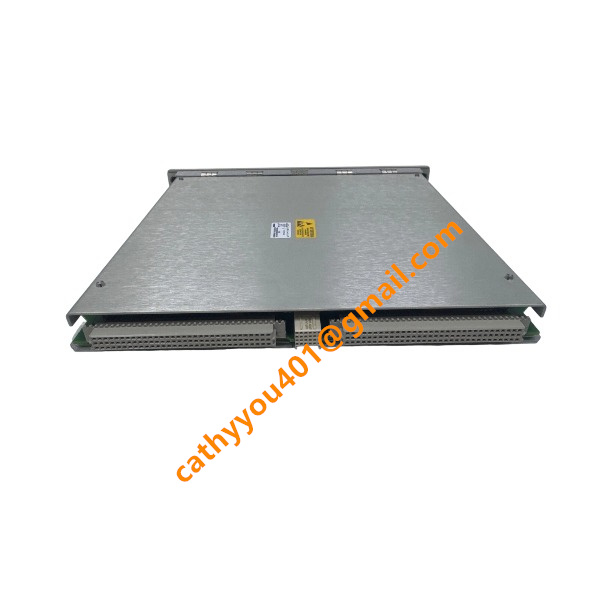
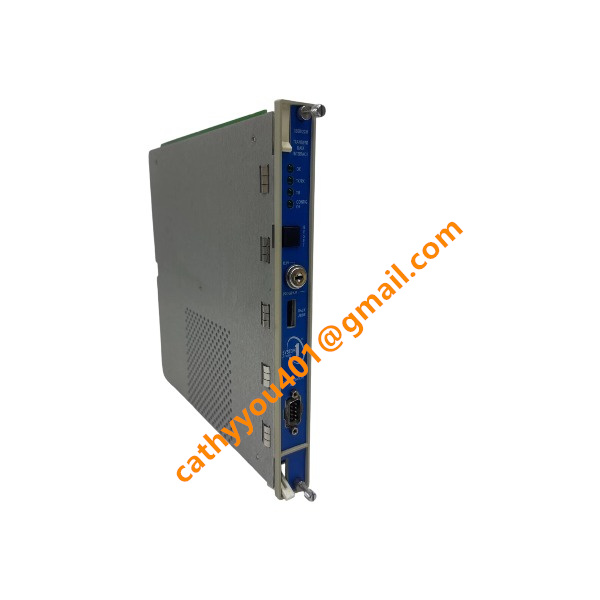







Description
-
BrandBently Nevada
-
Model3500/22M 138607-01
-
Product NameInterface Module original
-
Dimensions349mm × 310mm × 30mm
-
Weight0.48kg
-
Place of OriginUnited States
-
HS Code8537101190
-
Operating Temperature-20℃ to +60℃
-
Storage Temperature-40℃ to +85℃
-
Power Supply0.75A
-
Warranty12 month
-
Statusnew and original
Inputs and Outputs- Bently Nevada 3500/22M 138607-01
Inputs
The 3500/22M Transient Data Interface (TDI) receives rack status, configuration, monitoring data, and communication signals from the 3500 system. It interfaces with M-Series monitors and collects steady-state and transient waveform data for transmission to host software.
Rack Data Input: Receives monitoring data from compatible 3500 M-Series monitor modules.
Transient Data Input: Collects dynamic and transient waveform data from the monitoring modules.
Rack Reset Input: Provides a rack reset function for clearing latched alarms and related rack states.
System Contact Inputs: Supports rack-level contacts including Alarm Inhibit and Trip Multiply functions.
Trip Multiply Input: Supports multiple events per revolution and speed inputs up to 20 kHz.
Ethernet Communication Input: 10Base-T/100Base-TX Ethernet via RJ-45.
Fiber Ethernet Input: 100Base-FX multimode fiber interface, when the fiber-optic I/O version is installed.
USB Configuration Input: Front-panel USB-B port for local configuration and data retrieval.
RS-232 Configuration Input: The applicable I/O configuration provides a serial configuration interface with a maximum communication rate of 115.2 kbaud.
Outputs
The 3500/22M provides communication, status, and rack-health outputs rather than conventional analog measurement outputs.
Ethernet Data Output: Transmits steady-state and transient machinery data to host systems such as Bently Nevada System 1 and compatible 3500 software.
10Base-T/100Base-TX Output: RJ-45 copper Ethernet connection supporting BN Host Protocol and BN TDI Protocol over TCP/IP.
100Base-FX Output: Fiber-optic Ethernet communication, with a maximum cable length of approximately 2,000 m for multimode fiber.
USB/Serial Data Output: Provides local configuration and machinery-data retrieval.

Bently Nevada 3500/22M 138607-01 Commissioning and Debugging Procedure
1. Pre-Commissioning Inspection
Before installing or powering the 3500/22M Transient Data Interface (TDI), perform the following checks:
Verify the model and part number: 3500/22M, 138607-01.
Inspect the module for mechanical damage.
Check the 3500 rack, power supplies, backplane, and associated I/O module.
Confirm that the TDI is installed in Slot 1, directly adjacent to the power supplies.
Verify that the correct rear I/O module is installed.
Check all rack wiring and communication cables.
Confirm that the installed Rack Configuration Software is compatible with the TDI firmware and system configuration.
The 3500/22M is the interface between the 3500 monitoring rack and Bently Nevada software such as System 1 and 3500 System Configuration Software. It must occupy Slot 1 of the rack.
2. Check Power Supply
Before commissioning the TDI:
Verify that the 3500 rack power supplies are correctly installed.
Confirm that the rack is properly grounded.
Check the power-supply status indicators.
Energize the rack according to the approved plant procedure.
Observe the TDI front-panel LEDs during startup.
The TDI should complete its startup sequence without generating persistent fault indications.
3. Check Front-Panel Status LEDs
After power-up, check the four primary TDI status indicators:
OK LED — Indicates the operating condition of the TDI.
TX/RX LED — Indicates communication activity.
TM LED — Indicates Trip Multiply status.
CONFIG OK LED — Indicates whether the rack has a valid configuration.

3500/22-01-01-01
3500/22 288055-01
1900/65A
24765-02-01
3500/91-01-01-01
3500/44-02-01
TK-3E
177313-02-01
1900/65A-01-01-04-CN-00
2300/20-CN


.jpg)

.jpg)







