






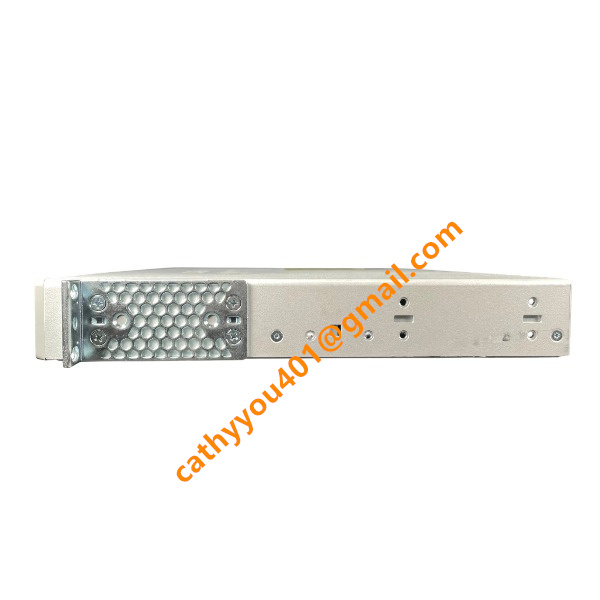
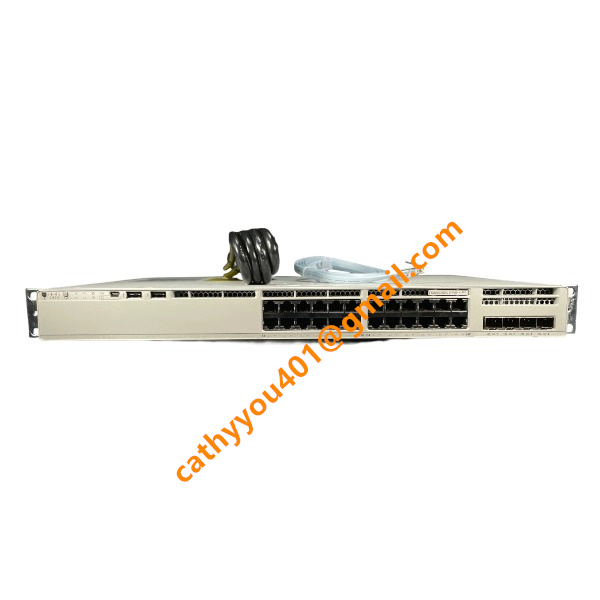







Description
-
BrandCisco
-
ModelC9300X-24HX-E
-
Product NameCatalyst 9300X 24‑Port Multigigabit UPOE+ Stackable Enterprise Switch, Network Essentials License
-
Dimensions445 mm × 440 mm × 44 mm, standard 19‑inch 1U rack‑mount chassis
-
Weight6.2 kg
-
Place of OriginMexico
-
HS Code85176200
-
Operating Temperature‑5 °C to +45 °C
-
Storage Temperature‑40 °C to +70 °C
-
Power Supply8.5 A
-
Warranty12 month
-
Statusnew and original
Functions of Cisco C9300X-24HX-E
Built on the UADP 2.0sec ASIC, this high-performance stackable enterprise access switch runs Cisco IOS-XE and comes pre-installed with the Network Essentials license.
It features 24 multi-gigabit copper ports operating at 100 M/1 G/2.5 G/5 G/10 G. Complying with IEEE 802.3bt UPOE+, each port can deliver up to 90 W PoE power to power Wi-Fi 6/6E wireless access points, IP surveillance cameras and various intelligent terminal devices.
Hot-swappable modular uplink modules are supported, enabling flexible deployment of 10G, 25G, 40G or 100G uplink links connecting to the aggregation layer.
Equipped with StackWise-1T stacking technology that provides stacking bandwidth up to 1 Tbps, it supports mixed stacking with compatible Catalyst 9300 series switches. StackPower+ allows PoE power resources to be shared across stacked switch members.
It delivers complete Layer-2 switching functionalities, including VLAN, STP/RSTP/MSTP, LACP-based EtherChannel, private VLAN, port security and storm-control.
A full set of fundamental Layer-3 routing features covers static routing, RIP and OSPF, which satisfies routing requirements at the access layer.
Hardware-accelerated IPsec encryption ensures secure site-to-site data transmission.
Robust security functions consist of Secure Boot, hardware Trust Anchor module, ACL, 802.1X, MACsec, DHCP snooping, DAI and IP source-guard for effective network threat mitigation.
Enterprise-level QoS capabilities offer multi-queue scheduling, traffic classification, marking, policing, rate limiting and congestion management, so as to differentiate service quality for voice, video and data traffic.
Diversified management approaches are available: local CLI, console port, USB interface, SNMP, RESTCONF and NETCONF APIs. It works seamlessly with Cisco DNA Center for centralized automated provisioning and orchestration.
With an external SSD slot, the switch supports container deployment for hosting extra application workloads.
Dual hot-swap redundant power supplies and hot-swappable fan modules greatly improve system uptime and reliability.
Built-in telemetry streaming enables real-time network condition monitoring, pre-fault warning and comprehensive network data analytics.

Configuration Guidelines for Optimal Performance on Cisco C9300X-24HX-E
Software and Firmware Optimization
Install the officially recommended stable Cisco IOS-XE release tailored for the Catalyst 9300X platform, and refrain from using early-access development builds. Secure Boot and hardware Trust Anchor can be activated with negligible performance impact. Turn off idle background services such as redundant SNMP groups, unused HTTP/HTTPS server functions and excessive debug logging outputs to lower CPU utilization. Set system logging severity to warning or informational level; debug logging must not be enabled under production-grade traffic loads.
Stacking Tuning
Within a homogeneous C9300X stacking setup, run the `switch stack-speed high` command to activate 1 Tbps high-speed stacking mode, followed by reloading stack members for configuration take-effect. Implement StackPower+ to realize PoE power resource pooling across stacked devices. Ensure stacking cables are intact and fully inserted to avoid stack-split failures that would seriously impair forwarding performance. To achieve peak stacking throughput, mixed stacking with non-9300X hardware is not advised.
Physical Port and Multi-Gigabit Interface Best Practice
Retain auto-negotiation enabled on all multi-gigabit downlink ports. Manually forcing speed and duplex settings is not suggested for 2.5G/5G/10G multi-gigabit interfaces. Deploy Cat-6A copper cables for multi-gigabit terminals to mitigate alien crosstalk and eliminate intermittent link-flap risks. Choose qualified uplink modules that match real-world bandwidth requirements, and rationally design the over-subscription ratio between aggregated downlink traffic and uplink capacity. Deactivate unused physical ports to cut down invalid broadcast-related processing.

Buffer and QoS Optimization
Leverage eight hardware-based egress queues on each port. Complete accurate DSCP-to-CoS mapping; allocate strict-priority queue for voice services and weighted bandwidth for video, control signaling and ordinary data streams. Tune the `qos queue-softmax-multiplier` parameter to accommodate micro-burst traffic and reduce output packet drops under bursty enterprise workloads. Turn on WRED congestion-avoidance for data queues. Minimize overly complicated policy-map matching rules, which would consume substantial TCAM hardware resources. The Auto-QoS template supports fast baseline deployment; fine-tune relevant parameters in light of actual service characteristics.
Layer-2 & Layer-3 Tuning
Adopt RSTP or MSTP in place of legacy STP for faster network convergence, and adjust spanning-tree cost values corresponding to actual link speeds. Set proper storm-control thresholds for broadcast, multicast and unknown-unicast traffic to contain network storms. Adopt LACP-based EtherChannel for uplink aggregation and select a suitable hash algorithm for traffic distribution. Enable hardware-accelerated routing on Layer-3 interfaces and prevent large-volume software-forwarded traffic. Perform route entry summarization to save TCAM storage resources.
PoE Resource Management
Make reasonable planning for the overall UPoE+ power budget when deploying 802.3bt 90 W powered terminals. Activate PoE power-management mode to avoid power denial caused by budget overrun. Disable PoE output on ports without powered end-devices to conserve internal power resources.
Security Feature Performance Consideration
Hardware-accelerated ACL, MACsec and DHCP Snooping can be enabled; these functions run on the UADP 2.0sec ASIC and bring almost no throughput degradation. Delete redundant ACL rules to preserve available TCAM space. Avoid generating large amounts of ACL hit logs under heavy-traffic circumstances.
Monitoring and Maintenance
Adopt telemetry streaming rather than frequent SNMP polling to reduce CPU overhead. Utilize Cisco DNA Center to implement unified monitoring and configuration administration. Conduct regular inspections focusing on output drops, buffer overflow, port error counters and stack operational health. Maintain normal operation of dual redundant power supplies to guarantee stable hardware running conditions.



.jpg)
.jpg)







