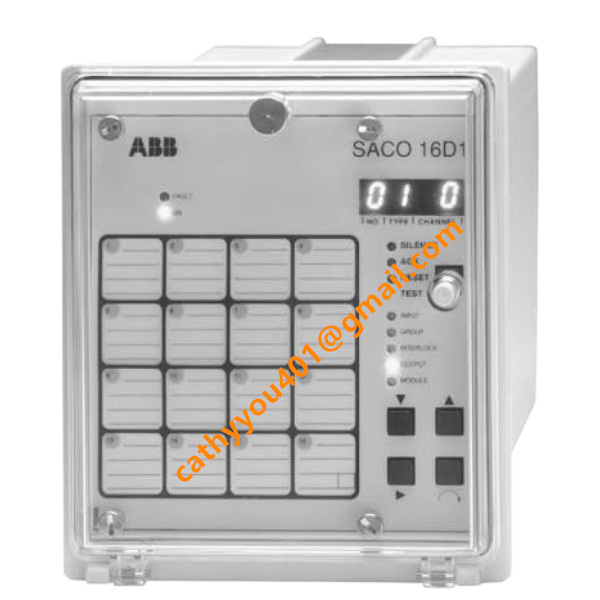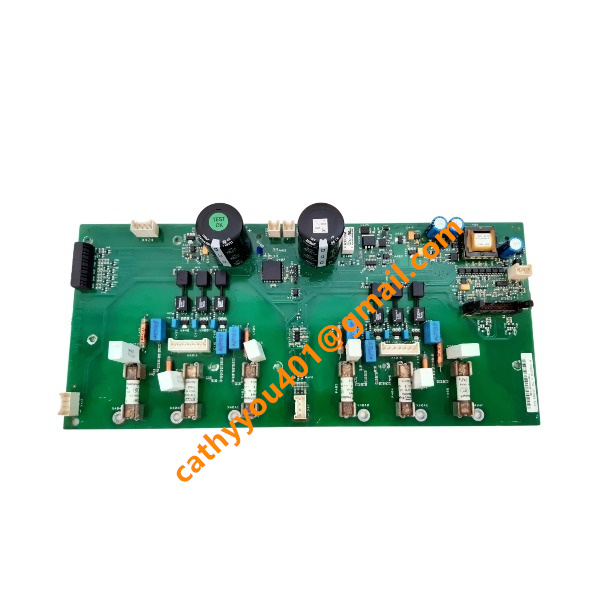
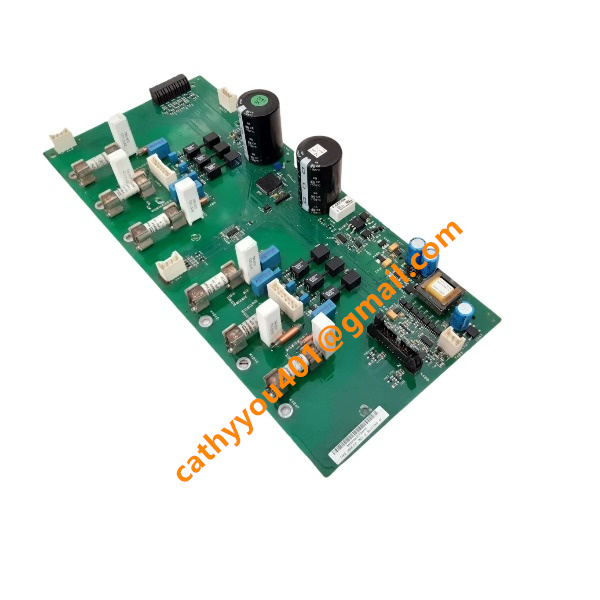







Description
-
BrandABB
-
ModelDSAB-01C
-
Product NameDigital Servo Adapter Board
-
Dimensions168 mm × 65 mm × 45 mm
-
Weight0.3 kg
-
Place of OriginSweden
-
HS Code85437099
-
Operating Temperature-20°C to +70°C
-
Storage Temperature-40°C to +85°C
-
Power Supply120mA
-
Warranty12 month
-
Statusnew brand
ABB DSAB-01C Product Advantages
Engineered for seamless compatibility with ABB ACS800 series variable-frequency drives, this unit fits directly into the RDCO-0x slot for plug-in mounting, significantly cutting commissioning workload and time.
It delivers robust DeviceNet communication with a baud rate reaching up to 500 kbps, enabling real-time exchange of critical drive data including speed, torque, operational status and fault information.
Equipped with built-in LED diagnostic lights, it provides intuitive visual indication of network status and fault alerts, facilitating fast and convenient on-site fault diagnosis.
Featuring integrated galvanic isolation, the board offers outstanding electromagnetic interference resistance, ensuring consistent and dependable performance amid demanding industrial electrical environments.
On-site firmware upgrade capability allows for future protocol enhancement and defect remediation, helping prolong the overall service lifespan of your automation system.
Its space-saving modular design supports straightforward component replacement, minimizing equipment downtime and lowering routine maintenance expenditure.
With a broad industrial operating temperature scope, it maintains stable operation within complicated factory surroundings and fully complies with applicable IEC industrial safety specifications.

ABB DSAB-01C Operation Guide
1. Safety Pre-requisites
Cut off both AC and DC power supplies to the ACS800 drive prior to installing or removing the DSAB-01C module, so as to prevent electric hazards and component damage.
Put on an anti-static wristband when touching the board, as electrostatic discharge can damage delicate onboard electronics.
Installation, cabling and commissioning shall only be carried out by certified industrial automation specialists.
2. Hardware Installation Steps
Remove the front cover of the ABB ACS800 variable-frequency drive and identify the RDCO-0x option slot on the control unit.
Line up the gold-plated edge connector of DSAB-01C with the slot, insert the board vertically and press firmly until it is fully engaged.
Tighten the mounting screw to secure the communication adapter in place.
Lead the DeviceNet shielded twisted-pair cable toward the module terminal block.
Complete bus wiring following official pin-out definitions for CAN_H, CAN_L, 24 V DC supply and GND. Ground the cable shield on one side only to avoid ground-loop interference.
Fit 120 Ω termination resistors at both physical ends of the DeviceNet main trunk cable.
3. Parameter Configuration
Refit the drive front cover and restore power to the unit.
Access the menu on the ACS800 control panel and enable the DSAB-01C DeviceNet option slot.
Assign a DeviceNet node address (range 0-63) and select baud rate (125 kbps / 250 kbps / 500 kbps); ensure the baud rate matches the rest of the network.
Set up drive I/O mapping: define outgoing data including speed reference and torque setpoint, and incoming data such as actual speed, motor torque, status word and fault codes.
Configure the communication fault reaction parameter to define drive behaviour upon bus loss (stop, coast to stop or hold the last speed setpoint).
Save all updated drive parameters, then perform a full power-cycle reboot to activate new settings.
4. Commissioning & LED Diagnostic Check
Power LED (Green): Lit = normal module power supply; Off = no auxiliary power input.
Network LED (Green): Steady on = healthy DeviceNet bus link; Flashing = active bus traffic; Off = no bus connection detected.
Fault LED (Red): Steady on = serious hardware failure; Flashing = communication fault, duplicate node address or heavy bus noise.
After system reboot, observe LED status. A persistent red fault LED indicates node-address conflict, baud-rate mismatch, loose terminals or missing termination resistors.
Scan the whole network using RSNetWorx for DeviceNet and confirm DSAB-01C appears on the device list.
Set up explicit or polled I/O connections between the PLC scanner and DSAB-01C.
Run online functional tests: transmit speed commands from the PLC and check real-time feedback from the drive to validate bidirectional data transmission.
5. Normal Operation
Under regular operating conditions, both green Power and Network LEDs should remain steadily illuminated.
Keep an eye on the communication error counter within the PLC. Continuously rising error readings point to poor cabling, insufficient shielding or heavy on-site electromagnetic disturbance.
Never plug or unplug DSAB-01C while power is applied. Hot-swap operations will burn out the module and trigger drive trips.
6. Firmware Upgrade Procedure
Disconnect the drive main power while keeping control-circuit auxiliary power intact.
Connect your PC configuration tool to the dedicated service port on DSAB-01C.
Download the correct official firmware file from ABB’s resource repository.
Launch the firmware update utility. Do not cut power throughout the upgrade sequence.
Once the upgrade finishes, power-cycle the inverter and verify the new firmware version via the control panel.
7. Troubleshooting Common Problems
Persistent red Fault LED: Check for duplicated DeviceNet node addresses, mismatched baud rates, loose bus terminals or absent 120 Ω termination resistors.
Module invisible on DeviceNet scan: Double-check reversed CAN_H / CAN_L wiring, 24 V auxiliary power and proper board seating inside the slot.
Sporadic communication drop-outs: Optimise cable shielding, minimise spur-cable length, improve cabinet earthing and separate power cables from signal wiring.
Drive receives no setpoint signals: Review ACS800 internal I/O mapping parameters and confirm the complete PLC scanner project has been successfully downloaded.
8. Maintenance Notes
Check connector tightness every six-month interval for installations in high-vibration industrial environments.
Maintain the adapter board free from dust, metal debris and cabinet humidity.
Fit genuine ABB replacement parts when hardware failure occurs. Full parameter re-configuration is mandatory after module replacement.

GDB021BE
Unitrol 1020
698B275U01
SM810K01
BC810K02
PP886
PBA800
RED615