246ED02E2CC94CA19D97DEEBBE92D8FD.jpg)
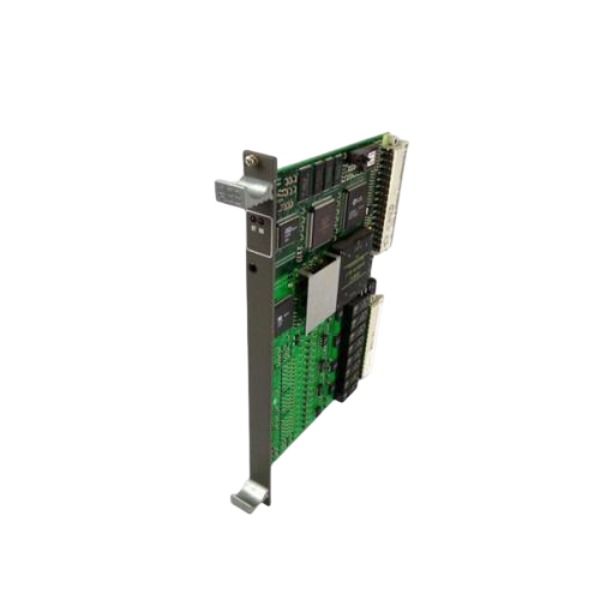







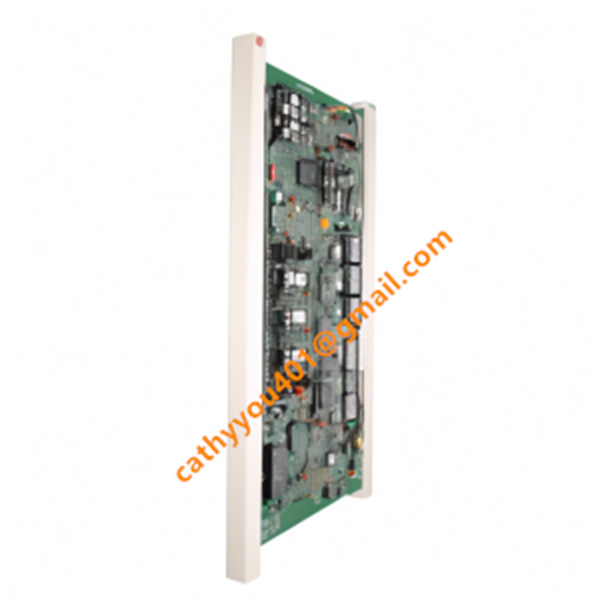
Description
-
BrandABB
-
Model83SR50-E/R 1210
-
Product NameMultifunction Control Module
-
Place of OriginSweden
-
Customs HS Code85389000
-
Part numberGJR2395500R1210
-
Dimensions254mm × 203mm × 13mm
-
Weight0.42kg
-
Operating Temperature-20°C to +60°C
-
Storage Temperature-40°C to +85°C
-
Warranty12 month
-
Product Statusbrand new
ABB 83SR50-E/R 1210 GJR2395500R1210 Working Principle
Core processing unit: This module incorporates a 32-bit embedded processor to execute programmed control logic, actuator regulation routines and closed-loop control algorithms.
Signal acquisition principle: Multi-channel I/O interfaces collect digital and analog field signals. Digital inputs capture switch states and interlock conditions, while analog inputs convert 4-20mA or voltage sensor readings into digital values for internal computation.
Control output execution: Following logic evaluation and PID calculations, the module produces digital discrete outputs and analog control signals to drive valves, actuators and other driven equipment. It supports three-position actuator control.
Bus communication interaction: It exchanges data with the Procontrol P14 station controller over the internal backplane bus. The module uploads process variables, operating status and diagnostic information, while receiving control setpoints and configuration parameters.
Continuous self-diagnosis mechanism: The processor performs cyclic background self-tests to monitor power quality, circuit health, I/O channel integrity and communication errors. When critical faults are detected, the module activates preconfigured safe output states.
Isolation design: Electrical isolation is implemented between field-side I/O circuits and the internal processing core, which suppresses on-site voltage surges and electromagnetic interference to safeguard the main control circuitry.
Power supply operation: The module accepts an AC 110–230V input. Its onboard power conversion circuitry generates stable low-voltage power for the processor, communication chips and signal conditioning circuits.

ABB 83SR50-E/R 1210 GJR2395500R1210 Installation Steps
1. Pre-Installation Safety and Preparation
This module is part of the rack-mounted ABB Procontrol P14 control system. De-energize the entire rack and perform lockout-tagout procedures. Ensure the cabinet is fully powered down before commencing work.
Wear an ESD wrist strap when handling the module to prevent electrostatic damage to electronic components.
Conduct visual inspection of the module for PCB scratches, burnt tracks, damaged front panels, bent backplane pins and defective terminal connectors. Confirm the part number GJR2395500R1210 complies with the BOM and record the serial number.
Prepare required tools and materials, including screwdrivers, multimeter, cable lugs, shielded signal cables and official P14 wiring schematics. Confirm the target rack slot is allocated for the 83SR50 control module and the backplane bus is intact.
2. Rack Mechanical Mounting
Slide the module along the guide rails of the Procontrol P14 chassis. Push the module gently until the rear backplane connector fully mates with the rack socket.
Secure the module by tightening the two locking screws on the front panel. Avoid over-tightening to prevent bent pins or connector damage.
This device is non-hot-swappable; do not insert or remove it while the rack is energized.
Verify the module is installed in the slot specified in engineering drawings and does not occupy positions reserved for other I/O or power modules.
3. Grounding and Cabinet Bonding
Ensure the P14 rack frame is solidly bonded to protective earth using the specified ground conductor.
Connect the ground lug on the module front panel to the rack grounding bar for shielding. Isolate signal ground from power ground to minimize common-mode interference.
Separate high-current power cables from low-level analog signal wiring within the cabinet to reduce electromagnetic interference.
4. Field Wiring Termination
Route the AC 110–230V power supply to the assigned power terminals following terminal drawings, and verify the fuse rating meets specifications.
Terminate digital input and output signals, 4–20mA analog measurement signals and three-position actuator control outputs at the front terminal block.
Deploy shielded twisted-pair cables for analog circuits. Cable shields shall be grounded at a single point inside the cabinet; multi-point grounding must be avoided to eliminate ground loops.
Check all terminals for firm connection to prevent loose contacts caused by equipment vibration. Confirm proper isolation of field sensors and actuators.
5. Pre-Power-On Inspection
Use a multimeter to check for short circuits between power terminals and between signal lines and earth.
Cross-check wiring against loop diagrams to validate signal types, polarity, fuse protection and isolation settings.
Insulate all unused terminals and arrange loose wiring away from the module.
Confirm the rack bus address and module configuration match the engineering database of the Procontrol P14 system.
6. Power-Up and Initial Status Check
Restore power to the rack once all inspections pass.
Observe LED indicators on the module front panel. Confirm the power indicator illuminates normally and no hardware fault alarm is triggered.
Allow the module to complete its self-test routine. Embedded firmware performs background checks on the power circuit, backplane bus, I/O channels and internal processor.
If a fault LED activates, cut power immediately and recheck backplane contact, wiring and supply voltage.
7. Bus Communication and Configuration Download
Establish backplane bus communication between the 83SR50 module and the P14 station controller. The module uploads operational status and diagnostic data to the system.
Download control logic, function blocks and parameter settings via the P14 engineering software. The module supports three-position actuator control, PID regulation and interlock logic.
Validate that process setpoints, alarm thresholds and channel types are correctly configured for analog and digital channels.
8. Loop Test and Commissioning
Perform point-by-point signal simulation tests. Inject analog test signals and verify correct readings; trigger digital states and confirm input response.
Temporarily force output signals to test actuator feedback and validate three-position control performance.
Clear all diagnostic alarms after successful loop testing, then switch the module to automatic control mode.
9. Post-Installation Documentation and Acceptance
Record installation date, serial number, wiring inspection results, self-diagnosis status and firmware version in equipment records.
Save the module’s online configuration backup to the project archive.
Label the module, terminal cables and signal tags clearly for future maintenance.
Run an extended idle test to verify stable communication and the absence of intermittent signal loss.

GDB021BE
Unitrol 1020
698B275U01
SM810K01
BC810K02
PP886
PBA800
RED615


.jpg)

.jpg)
.jpg)